
Why Is My Squarespace Google Pagespeed Score So Low? What Can I Do About It?
Updated March 16, 2026
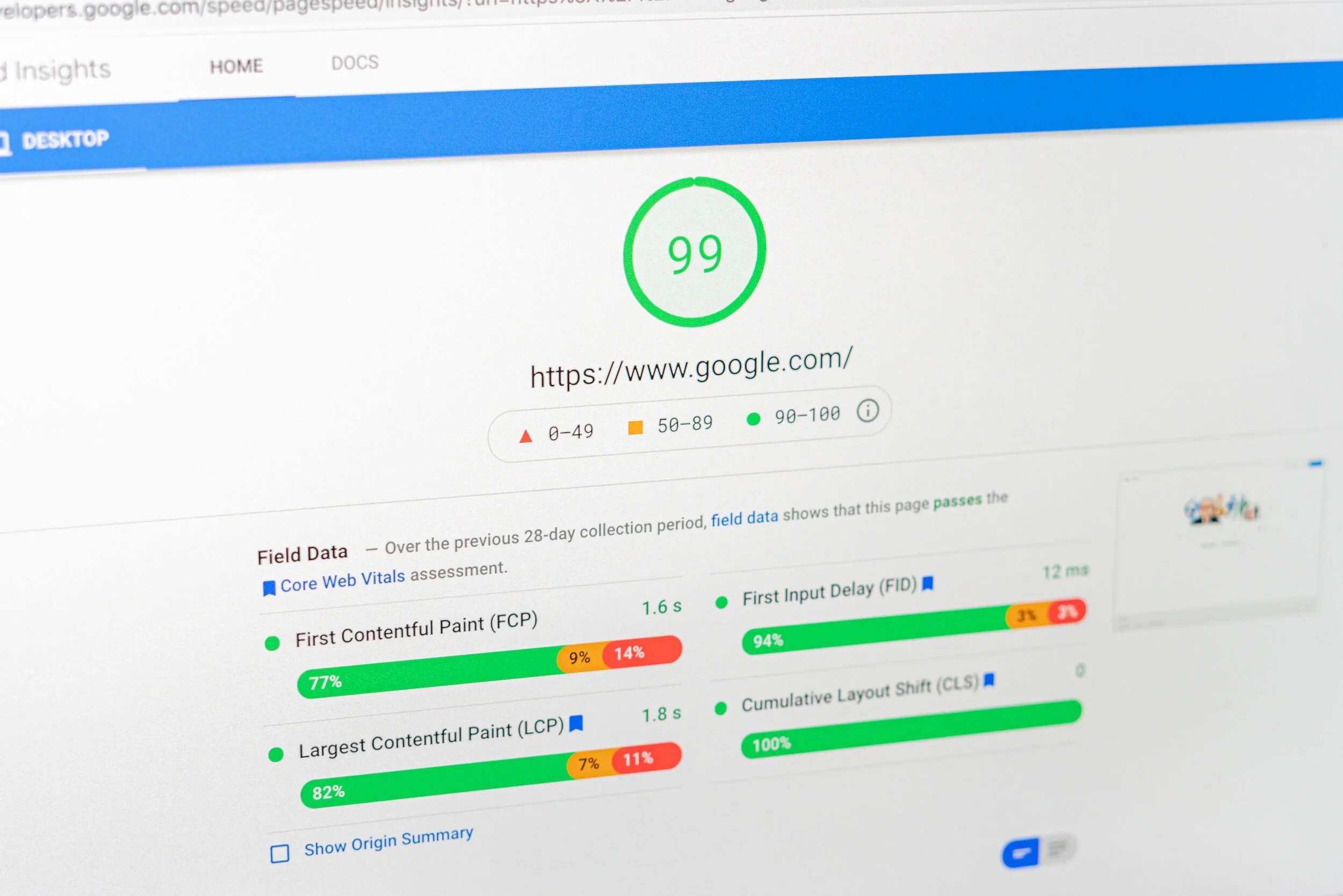
You ran your Squarespace site through Google PageSpeed Insights and the score made you wince. Maybe it said 40. Maybe 55. Either way, it doesn’t feel like a passing grade, and now you’re wondering whether your platform is working against you.
Here’s what you actually need to know: Squarespace will almost never score 90+ on PageSpeed Insights, and that’s not necessarily a problem. What matters is whether your site loads fast enough for real visitors — and whether the things slowing it down are fixable. Spoiler: some are, some aren’t, and knowing the difference will save you a lot of frustration.
This post walks you through exactly why Squarespace scores low, what’s worth fixing, and what to ignore.
Why Squarespace PageSpeed Scores Are Almost Always Low
Before you panic about your score, understand what’s actually causing it.
Squarespace is an all-in-one hosted platform. That means it loads a lot of code automatically — templates, fonts, animations, built-in e-commerce functionality, and more. Unlike WordPress, where you control every plugin and script, Squarespace bundles all of this together whether you use it or not.
PageSpeed Insights flags this as “unused JavaScript” and “render-blocking resources” — and technically, it’s right. But here’s the thing: you can’t remove that code because it’s baked into the platform. Squarespace owns that layer, and no amount of optimization on your end will change it.
This is why even well-optimized Squarespace sites tend to score in the 40–70 range on mobile. It’s a platform limitation, not a sign that something is broken.
The important thing: don’t compare your Squarespace score to a custom-coded WordPress site or a plain HTML page. That’s like comparing a furnished apartment to an empty warehouse. The question isn’t what’s the highest possible score — it’s whether your site loads fast enough to keep visitors engaged.
Let’s Be Clear: Your PageSpeed Score Is Not a Ranking Factor
This is probably the most important thing in this post, so it’s worth saying plainly: Google does not use your PageSpeed Insights score to rank your website.
Not even a little. The score is a diagnostic tool — it’s meant to help developers identify technical issues. It is not a signal Google feeds into its ranking algorithm. A site that scores 42 can outrank a site that scores 91 if it has better content, stronger backlinks, and more relevant pages.
What Google does use is Core Web Vitals — three specific performance metrics measured from real users visiting your site:
Largest Contentful Paint (LCP): How long it takes for the main content (usually your hero image or headline) to appear. Aim for under 2.5 seconds.
Interaction to Next Paint (INP): How quickly your page responds when someone clicks or taps. Should be under 200ms.
Cumulative Layout Shift (CLS): Whether elements jump around as the page loads. Should be under 0.1.
These are collected from real people using your site over time, not from a one-time lab test. A site can score 55 on PageSpeed and still pass all three Core Web Vitals with flying colors, because the score and the actual user experience are measuring different things.
Where slow speed does hurt you indirectly: if your site takes 6 seconds to load on mobile, visitors leave before they see your content. High bounce rates, low engagement, and zero conversions are signals Google does notice over time. So the goal isn’t to chase a number — it’s to make sure your site actually loads in a reasonable amount of time for a real person on a real device.
To see your actual Core Web Vitals data, open Google Search Console and navigate to Experience > Core Web Vitals. That report shows field data from real visitors, which is what Google actually looks at.
What You Can Actually Fix on Squarespace
Even though you can’t touch Squarespace’s core code, there’s still meaningful room to improve your real-world load speed. These are the things that actually move the needle.
1. Compress your images before uploading
Images are the single biggest controllable factor in Squarespace load speed. Squarespace auto-resizes images after upload, but it doesn’t compress them aggressively. A 4MB PNG will still load slower than a 200KB JPEG even after Squarespace processes it.
Before uploading any image to Squarespace:
Resize to the actual display size (a hero image rarely needs to be wider than 1,800px)
Compress using a free tool like iloveimg.com or Squoosh
Use JPEG for photos, PNG only for images that need transparency
Aim for under 500KB per image; under 150KB is better
This alone can shave multiple seconds off your LCP, which directly affects both user experience and rankings.
2. Reduce the number of custom fonts
Every custom font you load is an external request that has to complete before your page renders. Best practice: use one font family with two weights (regular and bold). System fonts like Georgia or system-ui load instantly since they’re already on the device.
3. Limit third-party scripts and embeds
Every third-party tool you connect — chat widgets, booking systems, social media embeds, pop-up tools, heatmap software — adds JavaScript that loads on every page. Audit what’s actually running. If you added a widget last year and stopped using it, remove it. Each script you remove is a faster page.
4. Be careful with animations and parallax effects
Scroll animations can cause layout shift problems. If your CLS score is high, try turning off scroll animations on your most important pages via Design > Animations in Squarespace 7.1.
5. Use Squarespace’s built-in speed features
A few things Squarespace handles automatically:
CDN delivery: Pages load from a server geographically close to your visitor.
Browser caching: Returning visitors load your site faster because static assets are stored locally.
Image lazy loading: Images below the fold only load when the user scrolls to them — automatic in Squarespace 7.1.
What You Can’t Fix (and Can Stop Worrying About)
Some PageSpeed warnings are platform-level issues that Squarespace controls, not you:
“Eliminate render-blocking resources”: Squarespace’s core CSS and JS load synchronously. You can’t change this without breaking your site.
“Reduce unused JavaScript”: Squarespace loads template code even if you don’t use every feature. Not editable.
“Serve images in next-gen formats”: Squarespace 7.1 serves WebP automatically in most cases. If you still see this, it’s usually older images uploaded before WebP support was added.
If someone tells you they can fix all of your PageSpeed warnings on Squarespace, be skeptical. Some of these are simply the cost of using a managed platform.
How to Actually Test Your Squarespace Speed
There are two kinds of speed testing worth doing: tool-based testing that gives you data, and real-device testing that tells you what your actual visitors experience. Do both.
Tool-based testing
Google PageSpeed Insights (pagespeed.web.dev): The standard benchmark. Run it on your homepage AND a key service page — they often score very differently. Remember: you’re looking at this for the Core Web Vitals data and specific suggestions, not to stress about the score number.
GTmetrix (gtmetrix.com): More detailed than PageSpeed Insights. GTmetrix shows you a waterfall view — a visual timeline of every single asset loading on your page, in order. This is useful for spotting exactly which images, scripts, or embeds are causing the biggest delays. It also grades specific issues by impact, so you can prioritize what to fix first. Run it on a slow page and look at what’s loading last or taking the longest — that’s usually where the problem is.
Google Search Console > Core Web Vitals: Shows real-user data from people who have actually visited your site over the past 28 days. This is the most meaningful data because it reflects actual conditions — not a controlled lab test.
Real-device testing (don’t skip this)
Tools give you numbers, but nothing tells you more than actually loading your own site the way a first-time visitor would. Most website owners check their sites constantly, which means their browsers have everything cached — so their experience is artificially fast and not representative of what a new visitor sees.
Here’s how to do it properly:
Clear your browser cache completely. In Chrome: Settings > Privacy and Security > Clear browsing data > check “Cached images and files” and “Cookies” > Clear data. Or open an Incognito window, which starts with a clean slate automatically.
Test on your actual phone over WiFi, not on a desktop and not in a browser simulation. Pull up your homepage, your most important service page, and your contact page. Notice: How long before you see anything? How long before the page feels usable? Does anything jump around as it loads?
Then test on mobile data (4G/LTE), not WiFi. A significant portion of your visitors are on cellular connections, especially if they’re searching for local services while out and about. If your site feels noticeably sluggish on a solid 4G connection, that’s a real problem worth fixing.
Try a different device if you can. A newer iPhone on fast WiFi will feel very different from a mid-range Android on an average connection. Your ideal client might not have the latest phone. If you have an older device available, test on that too.
Ask someone else to test it cold. Send your URL to a friend or family member who has never visited your site and ask them to load it on their phone and tell you honestly: did it feel fast, okay, or slow? Fresh eyes on a fresh device beat any tool.
If your site feels fine on real devices — loads in a couple of seconds, nothing jumps around, content is visible quickly — then a middling PageSpeed score is not something to lose sleep over. If it feels sluggish even on a good connection, that’s worth digging into with GTmetrix to find the culprit.
Quick Reference: Squarespace Speed Fixes
Compress images before uploading (target under 500KB, use iloveimg.com or Squoosh)
Use one font family with two weights max
Audit and remove unused third-party scripts (chat widgets, embeds, pop-ups)
Turn off scroll animations on high-traffic pages if CLS is an issues
Check Core Web Vitals in Google Search Console — not just the PageSpeed score
Test on your real phone with a cleared cache, on both WiFi and mobile data
Remember: your PageSpeed score is not a ranking factor. A score of 55–75 with good Core Web Vitals is normal and functional for Squarespace.
Not sure if your Squarespace site is actually performing well for SEO?
HopeSpring Digital works exclusively with Squarespace sites. We know exactly what’s fixable, what isn’t, and how to close the gap between a slow site and one that actually ranks and converts. If you want a clear picture of where your site stands, we’d love to take a look.
Explore our monthly SEO and website retainers or Squarespace maintenance plans to see how we can help.